

Learning how to cite a website in an essay is one of those small academic skills that causes a surprising amount of stress. Books and journal articles come with neat title pages and stable publication details, but websites are messier: pages may have no named author, the date may be hidden in a footer, and the address can run to three lines. Worse, a marker who cannot trace your source back to the exact page will doubt the evidence itself — even if the argument built on it is sound.
This is a narrow, website-specific micro-guide covering only webpages and online articles, in APA, MLA and Harvard styles. For books and journals, see our broader guide on how to cite sources in an essay; for AI-generated text, see how to cite AI in an essay.
What Counts as a Website Source?
A website source is any page you read online and use as evidence: a news article, a government statistics page, a charity’s report, a university guidance page, a company blog post, or an encyclopaedia entry. The key point is that you cite the specific page you read, not the website as a whole. Citing “www.bbc.co.uk” tells your reader nothing; citing the exact article, with its author, date and title, lets them check your claim in seconds.
Two edge cases are worth naming. A PDF hosted on a website (for example, a charity’s annual report) is cited as a report, using the organisation as author — but you still record the URL where you found it. And a social media post is not a website citation in the usual sense; APA and MLA both have separate formats for social media, so do not force a tweet into a webpage template.
The 4 Pieces Every Website Citation Needs
Whatever style you use, a website citation is built from the same four pieces. If you can find these four things on the page, you can build a correct citation in any style:
- Author — who wrote it? A named person, an organisation, or, if neither is given, no author at all (each style handles this differently).
- Date — when was it published or last updated? Look at the top or bottom of the page, near the byline, or in the page footer.
- Title — the title of the specific page or article, not the name of the whole website.
- URL — the address of the exact page, copied from your browser.
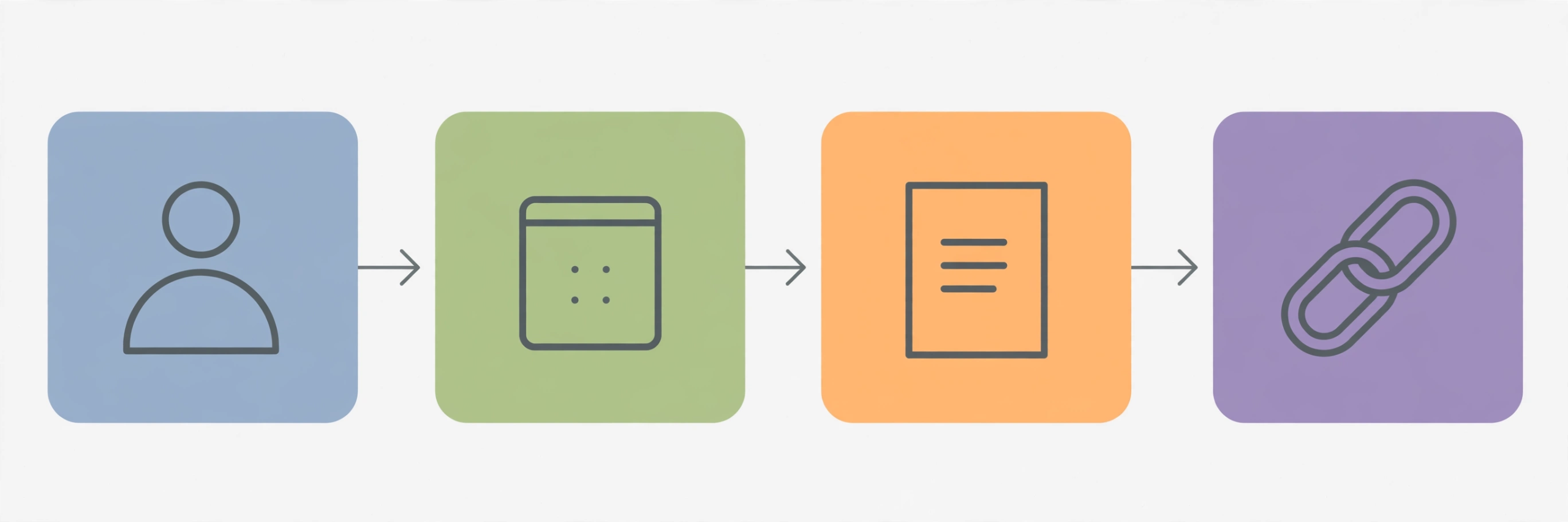
Think of these as the four legs of a table: remove one and the citation wobbles. The styles in this guide simply arrange the four pieces in different orders and with different punctuation. Gather the four pieces while you are reading, not when you are writing the reference list at midnight — copy the URL, author and date into your notes the moment you decide a page is useful.
How to Cite a Website in APA (7th Edition)
APA is the style most commonly used in the social sciences, education, psychology and business. To cite a website in APA, the reference-list entry follows this pattern:
Author, A. A. (Year, Month Day). Title of page. Site Name. URL
The page title is italicised, and the site name follows in plain text. APA does not normally require a retrieval date — add “Retrieved Month Day, Year, from” before the URL only when the page is designed to change over time, such as a wiki page or a live statistics dashboard.
APA example 1: Webpage with a named author
Okafor, N. (2025, March 14). Why cities are rethinking the school run. The Urban Review. https://www.urbanreview.example/transport/school-run-rethink
The in-text citation is short: (Okafor, 2025). If you mention the author in your sentence, only the year goes in brackets: “Okafor (2025) argues that…”
APA example 2: Webpage with no author, or an organisation as author
Many of the most useful webpages — government statistics, charity guidance, university advice pages — have no individual author. In that case, the organisation that publishes the site becomes the author:
World Health Organization. (2024, June 3). Adolescent mental health: Key facts. https://www.who.example/news-room/fact-sheets/adolescent-mental-health
The in-text citation uses the organisation’s name: (World Health Organization, 2024). After the first mention, APA allows the abbreviation if you introduce it — (WHO, 2024).
If there is genuinely no author and no organisation to credit, the title moves into the author position:
How to read a nutrition label. (2023, September 10). Healthline Daily. https://www.healthlinedaily.example/nutrition-label-guide
The in-text citation then uses a shortened title: (“How to Read a Nutrition Label,” 2023).
If no publication date can be found anywhere on the page, APA uses “n.d.” (no date) in place of the year: Author, A. A. (n.d.). Title of page. Site Name. URL.
How to Cite a Website in MLA (9th Edition)
MLA is the standard style in literature, languages and many humanities subjects. Its guiding idea is the “container”: the webpage sits inside the larger website, and the citation records both. To cite a website in MLA, the works-cited entry follows this pattern:
Author’s Surname, First Name. “Title of Page.” Website Name, Day Month Year, URL.
The page title goes in quotation marks, the website name is italicised, and — unlike APA — MLA includes the date in day-month-year order and normally drops the “https://” from the URL.
MLA example 1: Webpage with a named author
Okafor, Ngozi. “Why Cities Are Rethinking the School Run.” The Urban Review, 14 Mar. 2025, www.urbanreview.example/transport/school-run-rethink.
The in-text citation is the author’s surname in brackets: (Okafor). If you cite more than one page by the same author, add a shortened title so the reader knows which one you mean: (Okafor, “Why Cities Are Rethinking”).
MLA example 2: Webpage with no author, or an organisation as author
When an organisation is the author, it takes the author position:
World Health Organization. “Adolescent Mental Health: Key Facts.” World Health Organization, 3 June 2024, www.who.example/news-room/fact-sheets/adolescent-mental-health.
When there is no author at all, the entry begins with the page title:
“How to Read a Nutrition Label.” Healthline Daily, 10 Sept. 2023, www.healthlinedaily.example/nutrition-label-guide.
The in-text citation for a title-first entry uses a shortened version of the title: (“How to Read a Nutrition Label”).
MLA also asks for an access date — the date you read the page — when the page has no publication date or is likely to change. It goes at the very end: Accessed 12 Nov. 2026. For stable, dated pages it is optional, but some tutors expect it, so check your assignment brief.
How to Cite a Website in Harvard
Harvard is not a single rulebook but a family of author–date styles, and universities vary in the small details — so always check your institution’s Harvard guide first. The widely used Cite Them Right version follows this pattern:
Author Surname, Initial(s). (Year) Title of page. Available at: URL (Accessed: Day Month Year).
Harvard example 1: Webpage with a named author
Okafor, N. (2025) Why cities are rethinking the school run. Available at: https://www.urbanreview.example/transport/school-run-rethink (Accessed: 12 November 2026).
The in-text citation is author and year: (Okafor, 2025). For a direct quotation, add the paragraph number if there are no page numbers: (Okafor, 2025, para. 4).
Harvard example 2: Webpage with no author, or an organisation as author
As with the other styles, an organisation can stand as the author:
World Health Organization (2024) Adolescent mental health: Key facts. Available at: https://www.who.example/news-room/fact-sheets/adolescent-mental-health (Accessed: 12 November 2026).
If there is no author and no organisation, Harvard entries begin with the title, and the in-text citation uses the title (or a shortened version of it) with the year:
How to read a nutrition label (2023) Available at: https://www.healthlinedaily.example/nutrition-label-guide (Accessed: 12 November 2026).
If no date is available, use “no date” in place of the year: Author (no date). Some Harvard guides use “n.d.” instead — follow whichever your university specifies, and be consistent throughout your essay.
In-Text Citations for Websites: APA vs MLA vs Harvard
The reference list is only half the job. Every time you use a website source in your essay, you need a brief in-text citation that points the reader to the full entry. Here is how the three styles compare for the same source:
- APA — paraphrase: (Okafor, 2025); direct quotation: (Okafor, 2025, para. 3)
- MLA — paraphrase: (Okafor); direct quotation: (Okafor, para. 3)
- Harvard — paraphrase: (Okafor, 2025); direct quotation: (Okafor, 2025, para. 3)
Webpages have no page numbers, so quotations use the paragraph number instead — count from the top of the page, or use a section heading if the page is long. If the page’s paragraphs are not numbered, write “para.” followed by the paragraph number you counted.
A common question is whether the in-text citation goes before or after the full stop. In all three styles, the citation sits inside the sentence, before the final full stop. The only exception is a block quotation, where the citation follows the final full stop of the quoted passage.
Common Mistakes When Citing a Website
Most website citation errors are small, repeated slips rather than deep misunderstandings. These are the ones markers see most often:
1. Citing the homepage instead of the page. Linking to a site’s homepage when you actually read one article on it is the single most common error. Always cite the exact page, copying its URL from your browser.
2. Missing or guessed dates. If you cannot find a date, say so using the style’s convention — “n.d.” in APA, an access date in MLA, “no date” in Harvard — rather than inventing one. A missing date is honest; a wrong date is a fabrication.
3. Pasting long, ugly URLs into the body of your essay. URLs belong in the reference list or works cited, not in your sentences. In your argument, refer to the author or the page title; let the reference entry carry the address.
4. Forgetting the access date where it is needed. Harvard requires it for websites, and MLA wants it for undated or changeable pages. A page that has been edited since you read it is a real risk, and the access date is your record of which version you used.
5. Mixing styles. Using APA in-text citations with an MLA works-cited list is an easy way to lose marks. Pick one style and follow it consistently.
6. Citing the search engine, not the source. If you found a page through Google, cite the page itself, not Google.
7. Treating every website as equally trustworthy. A citation format cannot rescue a weak source. Before citing a webpage, check who published it, when, and why — a government statistics page and an anonymous blog post are not interchangeable evidence, even if both are cited perfectly.
Quick Checklist: Before You Submit
Run through this checklist for every website citation in your essay:
- Each in-text citation matches exactly one entry in your reference list or works cited
- The URL points to the exact page you read, not the homepage
- The author is named, or the organisation is credited, or the style’s no-author format is used
- The publication or update date is recorded, or “n.d.” / “no date” is used honestly
- The page title in your reference matches the title on the page itself
- The access date is included where your style requires it (always in Harvard)
- Every entry follows the same style — no mixing APA, MLA and Harvard
- Direct quotations include a paragraph number or section heading
- The URL is live — click each one once before submitting
Frequently Asked Questions
How do I cite a website in an essay if there is no author?
Use the organisation that publishes the site as the author. If there is no organisation either, start the reference with the page title — APA and Harvard move the title into the author position, and MLA begins the entry with the title in quotation marks. Your in-text citation then uses a shortened version of the title.
Do I need an access date when I cite a website?
It depends on the style. Harvard requires an access date for website citations. MLA asks for one when the page has no publication date or is likely to change. APA only needs a retrieval date for pages designed to change over time, such as wikis. When in doubt, include it.
How do I cite a webpage in an essay when the page has no date?
Never invent a date. APA uses “n.d.” in place of the year, Harvard uses “no date” (or “n.d.”, depending on your university’s guide), and MLA relies on the access date at the end of the entry.
Should the URL in a website citation be a hyperlink?
In a printed essay, a plain URL is fine. In a digital submission, most word processors will turn it into a clickable link automatically — that is acceptable in all three styles. Do not use shortened URLs (such as bit.ly links) unless your tutor explicitly allows them, because the reader cannot see where the link leads.